

Muse, Meta's personal AI agent: what it does and who can use it
Muse takes on tasks instead of answering questions: inbox, calendar, goals, custom trackers. It is rolling out in the US, so here is what it is and what we would hand it.

Muse is a personal AI agent from Meta that does tasks rather than answering questions: drafting and sending emails, booking restaurants, managing a calendar, tracking spending, turning long-term goals into action plans, and building small custom tools. It is rolling out in the US on iOS, Android and its own website, so you cannot use it from India yet.
We are covering it anyway, because agents are the direction every app is walking in and the decision they hand you is worth thinking about before it arrives. Below: what it is, what the five tabs do, where it works, what we would actually give it, and how much of your account it gets to see.
What is Muse, and how is it different from a chatbot?
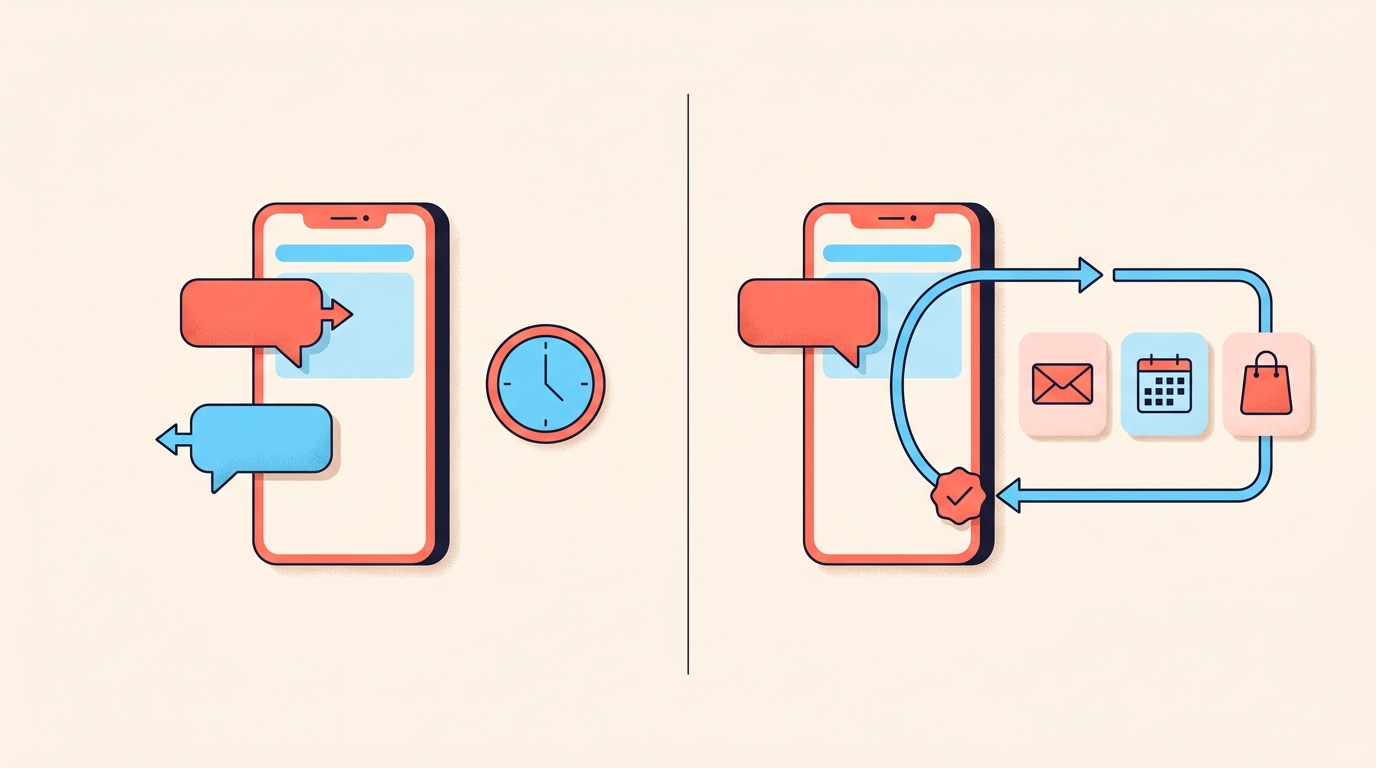
The difference is that it keeps going when you are not looking at it. A chatbot waits for you to ask, then responds. Muse takes a task, carries on after you close the app, and comes back when something changes or when it needs approval, such as before it sends an email or makes a purchase.
It runs on Muse Secure VM, a dedicated secure computer with its own browser, which is where it lives and where the data and credentials for anything you connect are stored. It can open a browser, fill in forms and work on your behalf across the apps you use daily.
It gets more useful the more you connect to it: email, calendar, Instagram, health and fitness apps, personal finance tools, shopping accounts. It also remembers what matters to you and learns from your conversations, which is how it can turn a recipe reel you saved on Instagram into a grocery list without being told what the reel was.
Talking to it works like messaging a person, in the Muse app or directly in WhatsApp.
What are the five tabs in Muse?
- Chat: the main conversation space. Give it a task and it can browse the web, research options, write emails, schedule your content and events, and follow up, all from one thread.
- Feed: a personalised feed based on your conversations, your goals and any extra guidance you give it.
- Ideas: suggestions for things you could do, based on your goals, and the quickest way to find out what it can do.
- Goals: tell it what you are working toward and it nudges you forward, including creating a content calendar, suggesting caption copy for your review, or setting reminders about when to post.
- Artifacts: describe a tool you do not have and it builds it, such as dashboards, trackers, meal planners or workout logs.
Goals and Artifacts are the two we would care about. A content calendar you argued with an agent about, and a tracker built around how your shop actually works, beat a template somebody else designed for a different business.
Can I use Muse in India?
Not yet, and here is where it stands. It is rolling out in the US on iOS, Android and its own website, with AI glasses still to come. We have not seen a stated date for other countries, and there is no waitlist we can point you at, so the honest position is that this is worth understanding and not yet worth planning around.
On cost, it is free for most of what people need, with subscription plans for people who want to do more. We have not seen a price for those plans.
What would a creator or small seller actually use it for?
If it arrived here tomorrow, these are the four jobs we would hand it first. All four are admin, and none of them is the part people follow you for.
- The inbox. It can scan your email for anything that needs a reply and draft the responses, which is most of what a brand conversation is before the money is discussed.
- The week. It can clean up your calendar and flag conflicts before a shoot and a collaboration land on the same afternoon.
- The payments. It can track brand deal payments, watch your spending against a savings goal, and go through statements to find subscriptions you stopped using.
- Your Saves. It can organise them and build something out of them, such as a travel guide or a shortlist of locations for the next shoot.
What we would not hand over is the writing people recognise as yours. A caption drafted for your review is fine. A caption posted without you is a different thing, and by default it will not post without your approval unless you change that setting.
The hour an agent saves is best spent on the part no agent can do: the opening line, the product in your hand, the reply that sounds like you. Our post on reel hooks is where we would put that hour.

How much of my account does it get to see?
As much as you connect, and no more. You choose which apps it connects to and exactly how much access each one gets. For email, you choose whether it only reads your mail or can also send on your behalf, and you can change access or disconnect a service whenever you want.
- Sensitive actions always need your explicit approval, such as making a purchase or sending an email on your behalf.
- It will not post without your approval unless you modify the settings.
- It has no visibility into your passwords or payment methods. Credentials you share go into secure storage, so it can use them without seeing them.
- It shows a complete audit trail of everything it has done and plans to do.
- It does not share your conversations or the data in your virtual machine with Meta's ad systems, and you can opt out of your interactions being used to train Meta's AI models.
- You can ask what it remembers about you, and tell it to forget specific topics or people.
We would still start narrow. Read-only on email, no payment method connected, and nothing linked to the account that posts. An agent that acts on your behalf is exactly as useful and as risky as the access you give it, and the access is the one part that stays yours to decide.
An agent is worth exactly the access you give it, in both directions.
What would we do until it reaches us?
Two things, and neither one needs an agent.
- Write down the admin that eats your week, in the order it annoys you. When an agent does arrive, you will know what to give it on the first day, and until then you will know what to solve another way.
- Automate the job that repeats most, which for almost every seller is the same answer to the same question under every post.
That second one is not a future problem. 'link?', 'price?' and 'kitne ka hai' land under every reel that works, they land at eleven at night, and each one is a person who was ready to buy and is now waiting. A good reel makes that queue longer, which is the nicest problem you can have and still the one that loses the most sales.
If the queue is the problem, the answer is usually a clearer ask, not a faster typist. We keep one keyword per post and say it out loud in the reel, and our carousel formula shows where that ask sits on a slide.
What is Muse?
Muse is a personal AI agent from Meta. Rather than only answering questions, it takes on tasks such as drafting and sending emails, booking restaurants, managing your calendar, tracking spending and building custom tools.
Is Muse available in India?
Not yet, because Muse is rolling out in the US on iOS, Android and its own website, and is coming to AI glasses. No date has been given for other countries.
Is Muse free?
It is free for most of what people need, with subscription plans for people who want to do more. Prices for those plans have not been published.
Will Muse post to Instagram for me?
Not on its own. It will not post without your approval unless you modify the settings, and sensitive actions such as sending an email or making a purchase always need your explicit approval.
Can Muse see my passwords?
No, Muse has no visibility into your passwords or payment methods. Credentials you share are stored securely so it can use them without seeing them, and it runs on its own secure virtual machine.
The repeated reply is the one job you can automate today. Instoly sends a DM to everyone who comments your keyword, on a free plan with 1,000 DM and comment credits a month, so nobody is left waiting at eleven at night.
The takeaway
Give an agent the admin, never the opening line, and start with the least access the job needs.
Sources
Built for Instagram creators.
Instoly answers comments on your posts and reels with an automatic DM, through Instagram's official API. It also gives you a Store for the link in your bio, AI Studio for captions and try-on, and invoices built from your posts. The free plan includes 1,000 DM & comment credits a month.
Start free