

Your posts, with the products attached: Instoly Store
A page of your own posts with the products on them, at instoly.store/yourname. Here is how to set one up, what a follower sees, what it costs, and the parts it deliberately does not do.
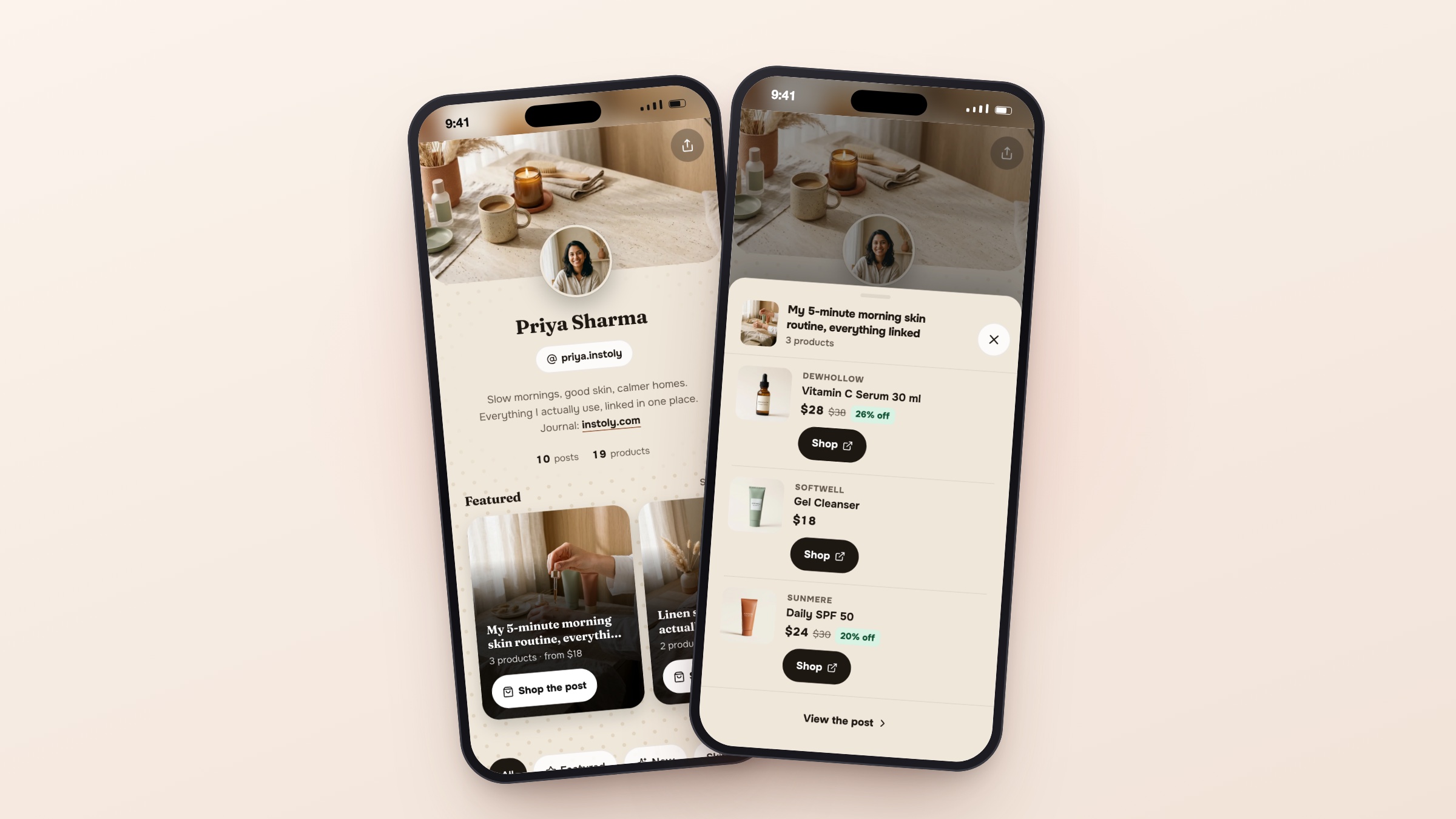
Your store is a page of your own posts with the products attached, and it lives at instoly.store/yourname. A follower taps the post they remember, and the things in it are right there with your prices, so nobody has to ask which one.
The free plan holds six posts. Here is what it does, what it costs, and the two or three things it deliberately does not do.
Why do people still ask "link?" when the link is in your bio?
Because a bio link is one link and a feed is hundreds of posts. Someone who saw a reel three weeks ago does not want your homepage. They want the one jacket, and the fastest way to get it is to ask you.
So you have the same short conversation over and over: which post, which item, what it cost. Auto DM already answers the first half of that in seconds. We built the store for the other half: somewhere for the link to point that still looks like your feed, so whoever arrives recognises where they are.
A bio link is one link, and a feed is hundreds of posts.
What is the store?
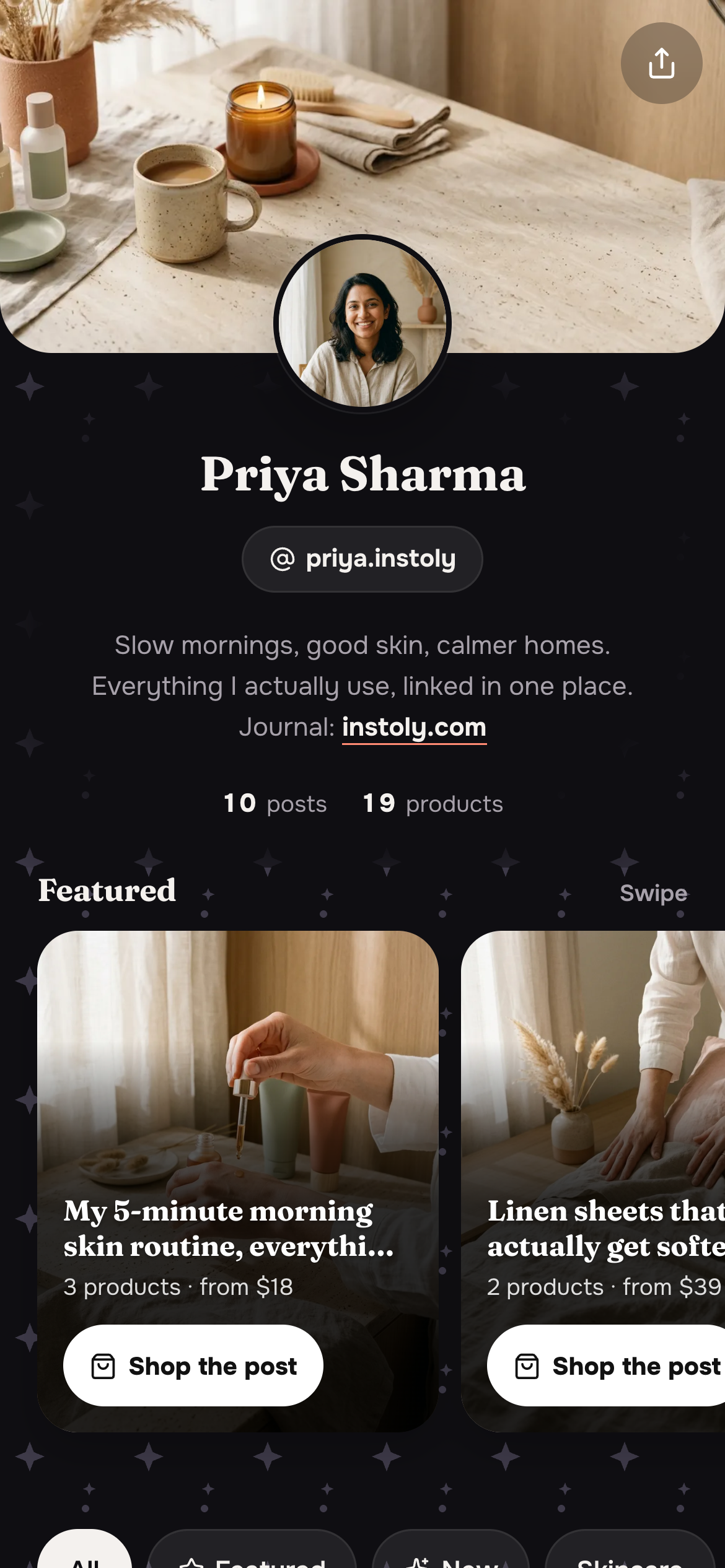
A public page at instoly.store/yourname. On the free plan the name comes from your Instagram username and stays that way; on Pro and Business you can choose your own, of three to thirty characters. It carries a banner, your picture, your name, the handle of the Instagram account you connected, and your bio, and a grid of the posts you chose. Each tile says how many products it holds and the lowest price on it, so a tile might read "3 products · from $18".
We take photos, reels and carousels alike, so the reel that actually sold something does not get left out.
If you rename it on Pro or Business, the old name keeps working. It stays reserved to you, the old address sends people to the new one, and you can go back to it if you change your mind. We never hand an old name to somebody else.
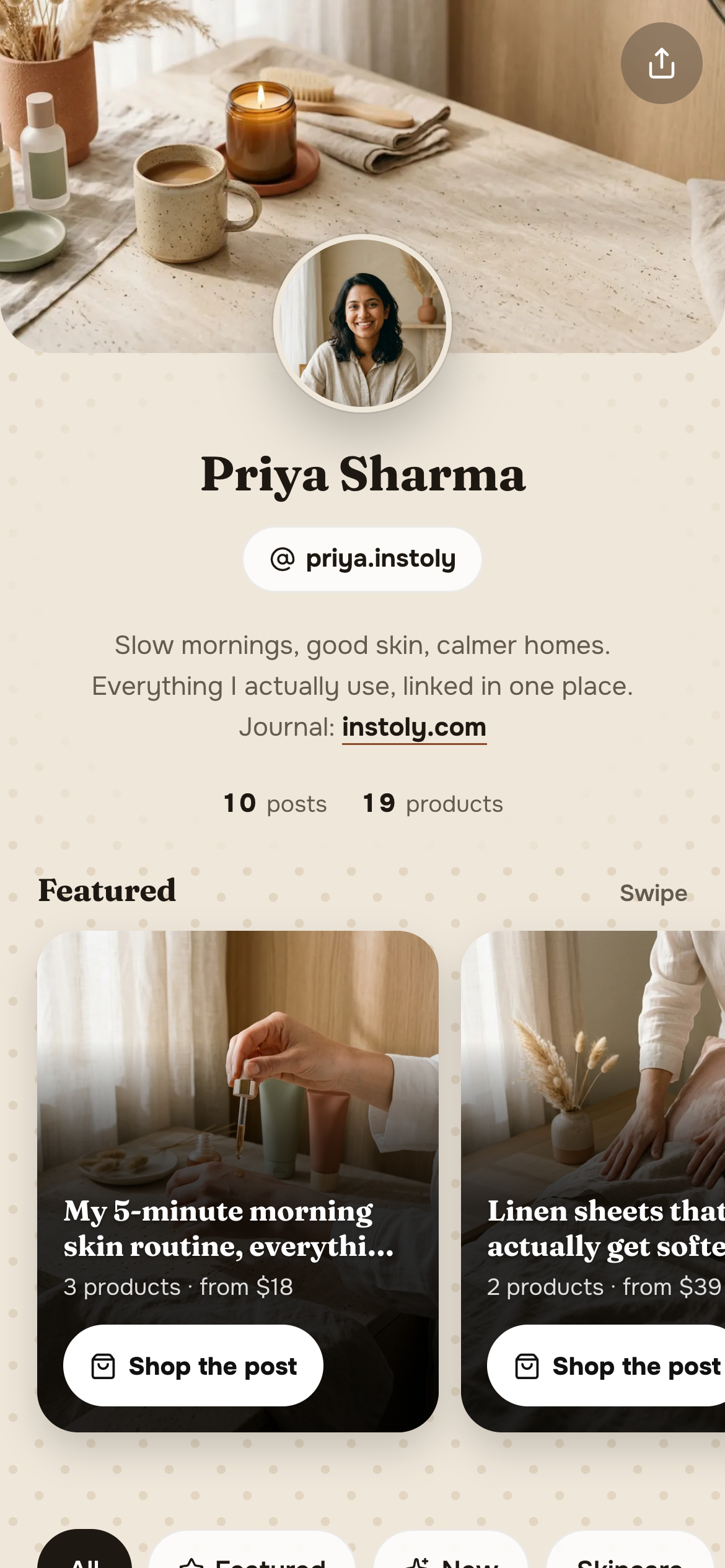
How do you set one up?
- Pick the posts. We bring your posts in and you choose the ones people ask about.
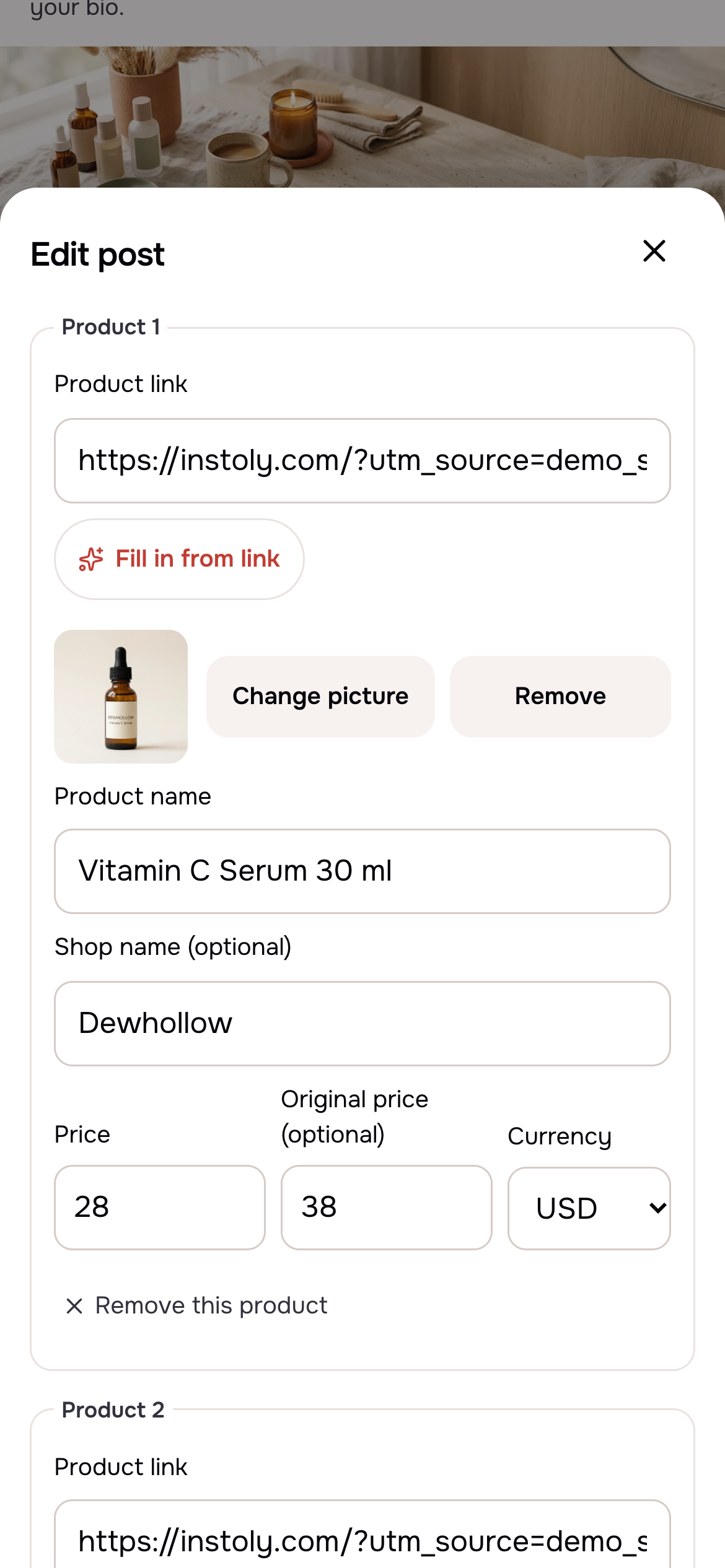
- Attach the products, one to three per post. Paste each link and tap Fill in from link to read the name, picture and price off the page, or type them yourself. The shop name and the original price are optional.
- Publish, and put the address where people already look — your bio, a story, the DM.
If you already send product links in your Auto DMs, those arrive as drafts rather than being typed a second time.
What does a follower actually see?
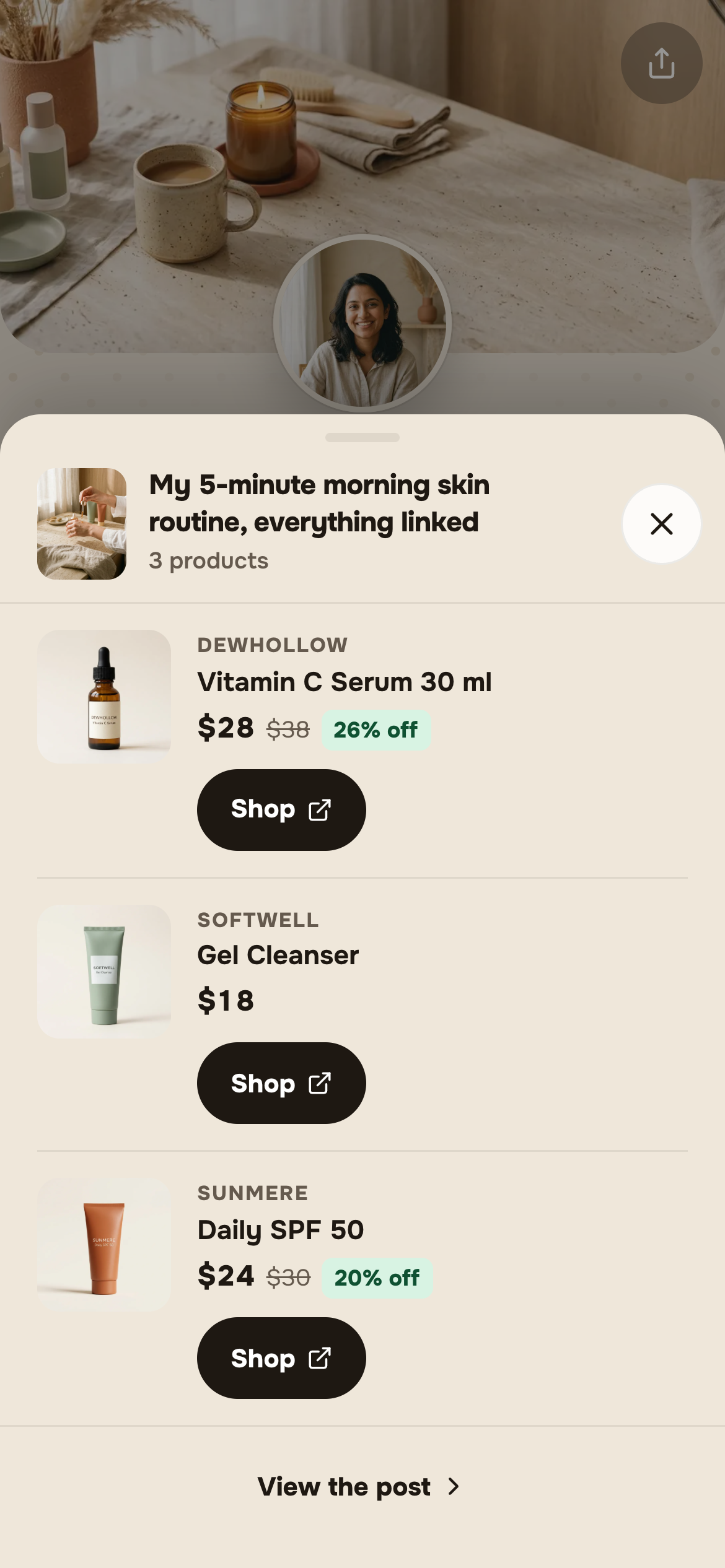
A grid of your posts. They tap one and a sheet slides up with that post's products: the picture, the shop name, your price, and, if you entered an original price, that one struck through with the saving worked out. A serum at $28 from $38 shows as 26% off.
Every product is a link out to wherever you sell. We take no payment and hold no basket. It is a page that answers "which one", and the buying still happens where it happened before.
How do you make the page yours?
You shape it in two ways, and the first is categories you name yourself, like Skincare, Home or Wardrobe, so a page of forty posts stays walkable. There is a Featured shelf at the top for the two or three you want seen first, and a New tag on the most recent.
Then the look: six themes, four background patterns or none at all, and three fonts. There is deliberately no free choice of background colour. We have checked every theme's text for contrast on its own background, and a colour picked by hand underneath a fixed text colour is exactly how a page becomes unreadable.
The look, the categories and the Featured shelf are on Pro and Business. A free store is Cream, no pattern, Modern.
Can you tell whether anyone tapped it?
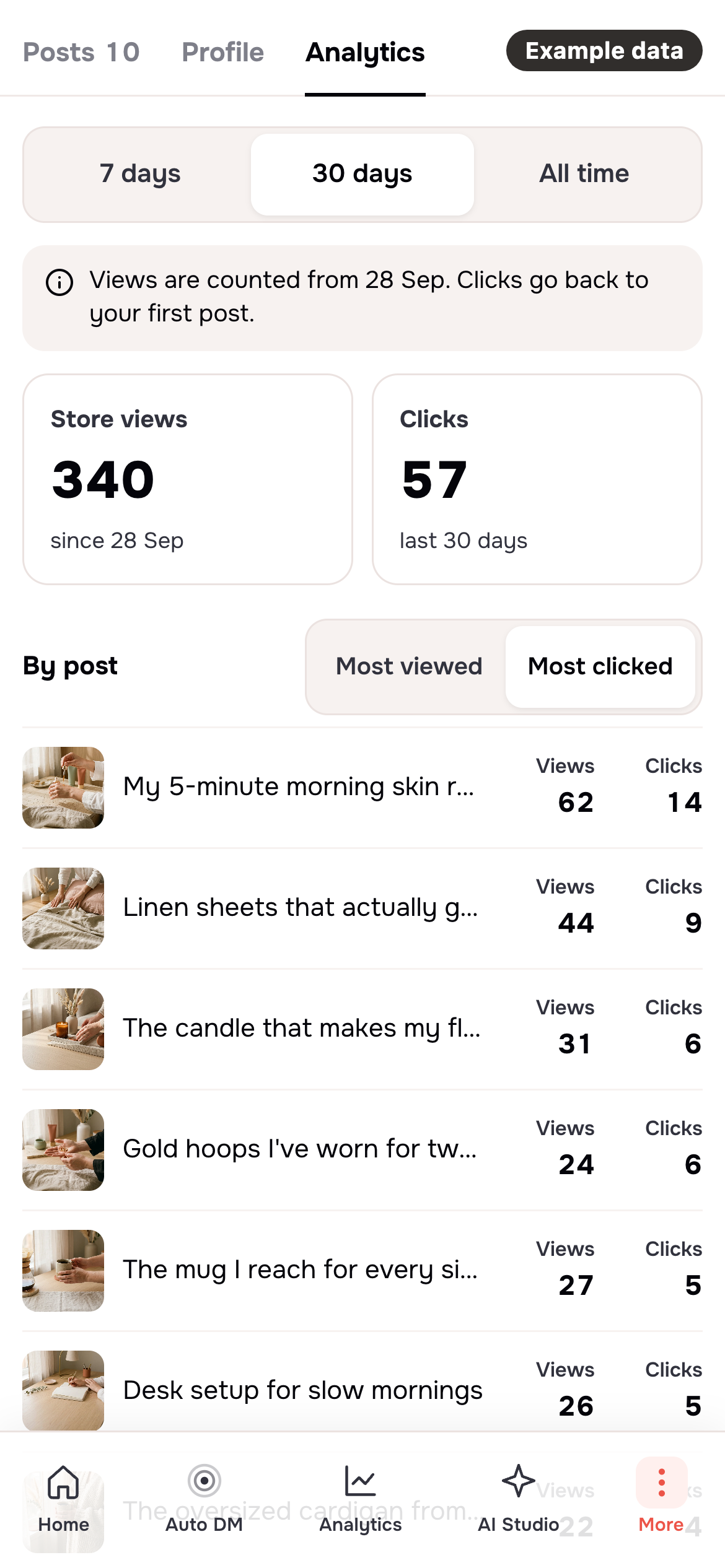
You get two numbers: store views and clicks, over the last seven days, the last thirty, or the whole life of the store. Every post carries the same two, and you can rank them by clicks or by views, so the one doing the work is the first thing you see.
We do not show a click-rate percentage, and that is on purpose. We began counting page views later than we began counting clicks, so a rate across one stretch of time would divide by the wrong number and make a good page look like a bad one. Meta's own link scanning is left out of the clicks, so a preview fetch is not counted as a tap.
What do you get without paying?
A real store, with six posts. It shows your Instagram picture, name and bio, a line saying the store was created with instoly.com, and no categories or Featured shelf. Six is enough to cover the things you get asked about most weeks.
Pro, at $9 a month or $86 a year, makes the posts unlimited, lets you choose the store's name, and turns on the look and the categories. Business, at $29 a month or $278 a year, is the same store with a far larger monthly allowance of DM and comment credits behind it. Both sit on our pricing page.
Do I need a paid plan to open a store?
The free plan includes a store that holds six posts, so no paid plan is needed to open one. Unlimited posts, the themes and the categories are on Pro and Business.
Can I sell directly through the store?
The store is not a checkout. Every product is a link out to wherever you already sell, and Instoly never takes a payment or holds a basket.
Can I change my store address later?
On Pro and Business you can rename it whenever you like, and the old address keeps working, sends people to the new one and stays reserved to you. On the free plan the address is your Instagram username and cannot be changed.
What happens to my store if I go back to the free plan?
Your store keeps everything when you move back to Free. The custom look, categories, Featured stars and any posts past the sixth are kept and hidden, the first six stay live, and they all come back if you upgrade again.
Do the store's products also go out in DMs?
Store products can go out in DMs as well. Add a products step to an Auto DM flow and whoever comments on that post gets its products as cards, with a card to the whole store at the end.
The store and the DM are one list in Instoly, not two copies. Add a "Products from my store" step to an Auto DM flow and the next comment gets that post's products as cards, and because we read the store as the DM goes out, fixing a price once fixes it in both.
The takeaway
Pick the posts people ask about, attach up to three products each, and send one page instead of forty replies.
Sources
Built for Instagram creators.
Instoly answers comments on your posts and reels with an automatic DM, through Instagram's official API. It also gives you a Store for the link in your bio, AI Studio for captions and try-on, and invoices built from your posts. The free plan includes 1,000 DM & comment credits a month.
Start free